

 Loading...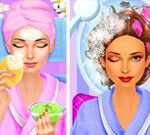







If you have ever wondered what goes into a real spa makeover, Makeup Teen Spa Salon walks you through the entire process at a comfortable, encouraging pace. From the first cleanse to the final shimmer, the game teaches the order of operations that real beauty professionals use, just on a forgiving cartoon timeline. The full step-by-step below is the one I wish I had used during my first session.
How to Play Makeup Teen Spa Salon in 7 Steps
Each level has the same structure but introduces a new client, a new look, and one new tool to master. Here is the order I follow on every makeover.
Step 1 — Greet the Client and Read the Brief
Every Makeup Teen Spa Salon level opens on a quick conversation. The client tells you their event (school dance, family photo, weekend hangout) and any special preferences. Reading carefully here saves you from undoing work later.
Step 2 — Cleanse the Skin
Use the cotton round and gentle cleanser to remove the day's residue. This phase rewards slow, even circular motions. Skipping it hurts the makeup phase later.
Step 3 — Apply the Spa Mask
The mask brush requires three even strokes per zone. The mask must rest for fifteen seconds; use this pause to chat with the client and lift the mood meter.
Step 4 — Treat Specific Issues
Acne tools, redness creams, and brow trimmers appear on the right tray when needed. Treat any visible imperfections before moving to make-up.
Step 5 — Apply Foundation, Blush and Lipstick
Match the colour family to the client's skin tone and event. Foundation goes on with a sponge in light dabs; blush sweeps from cheekbone outward; lipstick clicks once per lip half.
Step 6 — Style Eyebrows and Lashes
The Makeup Teen Spa Salon eyebrow tool offers three shapes. Pick the one closest to the client's natural arch unless the brief explicitly asks for something bolder.
Step 7 — Add Accessories and Take a Photo
Hair clips, glasses, or jewellery can lift a finished look. Always finish with the camera button — the photo earns a bonus tip if the client smiles wide.
Makeup Teen Spa Salon Controls
- Click / Tap: Activate the selected tool on the highlighted area.
- Drag: Apply gradients, blush sweeps, and brush strokes.
- Long press: Open colour or shade variants for the active tool.
- Esc: Pause and review the client's brief at any time.
Tips for Higher Star Ratings
Five-star clients all share the same appreciation: they noticed details. Always finish a make-over with a small accessory even if the brief did not request one — the courtesy bonus is significant. Keep the mood meter above sixty percent throughout the session by chatting whenever a tool is resting. Save your premium products (gold serum, illuminator) for the photo phase; the visual effect carries higher in the final snapshot.
About Makeup Teen Spa Salon
Makeup Teen Spa Salon is a free browser-based cosmetics simulator that combines salon management with creative beauty work. Levels run between three and seven minutes, ideal for short play sessions. The game saves locally, so you can finish a client tomorrow without losing progress, and runs equally well on desktop, tablet and phone touchscreens.
More Beauty and Salon Games
Players who enjoy cosmetic creativity often gravitate to the new games shelf where new spa, hair and makeover releases drop weekly. The hot games page collects the casual hits trending right now.
PCMouse click and drag to play.MobileTap and slide to play.