

 Loading...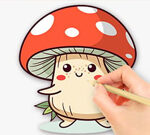









If your child has ever asked for paper, paint and a quiet corner all at the same time, Coloring Book Mushroom is the digital answer that keeps the mess out of the living room. The game offers a tap-and-fill canvas, dozens of mushroom-themed scenes, and a sparkle reward every time a page is finished. Below, you'll find the step-by-step guide that helps kids (and parents) get the most out of every session.
How to Play Coloring Book Mushroom in 5 Easy Steps
Coloring Book Mushroom is built for tiny fingers and short attention spans, but the steps below help every age group reach a finished page they can be proud of.
Step 1 — Pick a Page From the Library
The game opens on a thumbnail wall. Tap any mushroom drawing to load the full canvas. Easy pages have wide zones; advanced pages have small details suitable for older kids.
Step 2 — Choose a Colour From the Palette
The bottom strip shows twenty pre-set colours. Tap a colour, then tap any white area on the page to fill it instantly. No painting precision required.
Step 3 — Try the Sparkle Brushes
Some Coloring Book Mushroom pages unlock glitter and pattern brushes. These add stripes, dots, or stars to a single zone — perfect for finishing touches.
Step 4 — Use Undo Without Hesitation
The undo arrow reverses the last colour fill at no cost. Encourage kids to experiment freely; nothing is permanent until the page is saved.
Step 5 — Save or Share the Final Artwork
The disk icon stores the page in the gallery. The share icon prepares an image that parents can review and download to a phone or tablet.
Coloring Book Mushroom Controls
- Tap / Click: Apply the active colour to a zone.
- Long-press a colour: Open the shade picker for lighter and darker variants.
- Eraser tool: Reset a single zone to white without redoing the page.
- Magnifier: Zoom into small details on advanced pages.
Tips and Strategy for a Great Mushroom Page
Children love bold contrasts, so encourage them to alternate light and dark shades on neighbouring zones. Mushroom caps look striking when filled with reds, oranges or pastels, while stems benefit from earthy browns or surprising blues. Reserve the sparkle brushes for the final pass — adding glitter early often gets buried by later fills.
For older kids who want a real challenge, the game allows colour-by-number guides. Following the numbers teaches matching skills while still leaving room for creativity at the end.
About Coloring Book Mushroom
Coloring Book Mushroom is a free browser-based coloring book game playable on desktop, tablet, or phone. With more than thirty pages, four brush styles, and a savings gallery, it gives families a clean, ad-light alternative to paper colouring books — no need to buy markers or wash hands afterwards. The game runs instantly, with no installation, and supports touch input perfectly on tablets.
Educators sometimes use Coloring Book Mushroom to introduce younger pupils to digital art tools without overwhelming them with complex software interfaces.
More Creative Games You Will Enjoy
If your child finishes the mushroom collection and asks for more, head over to our new games page or browse the hot games trending this week. Both shelves are filled with creative, kid-friendly titles in the same gentle, screen-safe spirit.
On PC Click the left mouse button or tap the screen to draw.On mobile Use your finger to touch the screen.