

 Loading...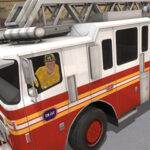










Fire Truck Driving Simulator — Best 7 FAQs Every New Rookie Asks
Fire Truck Driving Simulator is the best emergency driving game where sirens, ladders, and water cannons work together to rescue every neighbourhood. Rookies repeat the same questions, so we collected the seven most useful answers about Fire Truck Driving Simulator in one quick guide.
1. How do I start a mission?
Drive into the highlighted bay and the radio call begins. The map highlights the fire icon. Reach it within the timer to score gold rewards.
2. Where do I refill water?
Hydrant icons appear on every block. The best technique is to top up before the tank drops below 30%, otherwise the next blaze burns longer than your reserves.
3. How do I extend the ladder?
Park the truck under the burning tower, hold the ladder button, and tilt the joystick. The ladder grows automatically. Aim the hose along the way for a double bonus.
Controls
- WASD / Arrows: drive the fire truck
- Mouse: aim hose and ladder
- Spacebar: activate siren and clear traffic
4. Are there boss fires?
Yes. Once a week the city throws a multi-storey blaze. You will need ladder, foam cannon, and rescue chute combined. Successful runs earn the best chrome paint job.
5. How do I unlock new trucks?
Reach district level 5 to unlock the rescue ladder truck and level 12 to drive the mighty foam tanker. Each upgrade boosts a different stat — choose the best fit for your style.
6. Can I play with friends?
Cooperative mode pairs two trucks for tag-team rescues. Coordinate one driver and one ladder operator for triple speed.
7. What is the late-game goal?
Complete all 25 districts and unlock the chief badge. Real fire-fighting tactics are explained on the Wikipedia fire engine article.
More Free Games
Switch up the action in our hot games hub or grab a fresh release in new games. Stay safe, stay happy.
On PCWASD or Arrow keys = driveTap the right button = change to the water gunSwipe the screen with the mouse = switch the cameraOn MobileTap the buttons on the screen