

 Loading...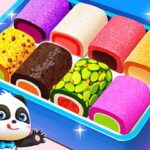








If a candy shop ran on rainbow logic and was managed entirely by a tiny apron-wearing panda, it would look exactly like Little Panda Candy Shop. The game is built for small hands, calm pacing, and the kind of imaginative play that older kids never quite outgrow. The list below saves new players a few learning moments and helps every confection look as good as it tastes.
7 Things to Know Before Playing Little Panda Candy Shop
- Read the customer's order card carefully. Each cute creature requests a specific flavour, colour, and topping combo.
- Mix flavours in the listed order. Strawberry then mint produces a different swirl than mint then strawberry.
- Don't skip the chocolate dip. Even if the order does not request it, the dip earns a courtesy bonus star.
- Time the toppings. Sprinkles too early sink into the candy; too late and they slide off. The window is brief but generous.
- Use the small candy moulds first. They cool quicker, so your service speed for early customers stays high.
- Restock between customers. Tap the supply jars when the shop is empty; it costs no time and prevents mid-order shortages.
- Save coins for the rainbow oven upgrade. It doubles your candy output and is the single best investment in the game.
Master the Little Panda Candy Shop Controls
- Tap / Click: Pick up an ingredient or trigger a station.
- Drag: Pour, stir, or move candy on the conveyor.
- Long press: Open the variant menu (extra colours or shapes).
- Home button: Return to the main shop overview.
Candy Categories and Special Recipes
Little Panda Candy Shop unlocks new candy families progressively: lollipops, gummies, marshmallows, jelly beans, chocolate bars, and finally rainbow swirls. Each family has unique mixing rules. Special recipe cards appear randomly during the day; combining the listed flavours grants bonus coins and a unique decoration unlock.
The game pulls inspiration from real confectionery traditions, simplified into pastel mini-stations any child can recognise.
Pro Tips for Five-Star Tiny Chefs
Three habits help every shift. Keep the panda chef in the centre of the shop, not at the counter; central positioning halves walking time. Always finish a candy before starting a new one; multitasking on early levels usually causes mix-ups. And don't forget to wave goodbye to customers — a cheerful exit boosts the satisfaction meter for the rest of the day.
How to Play Little Panda Candy Shop (Beginner's Guide)
Open the shop, greet the first customer, read the order card, gather ingredients, mix in the right order, decorate, hand over the finished candy. Repeat through the day until the bell rings. Coins earned during the day translate into shop upgrades for tomorrow.
More Cooking and Kids Games
If your child loves cooking play, our new games shelf rotates fresh kid-friendly kitchen titles every week. The hot games page also surfaces the most-played gentle hits trending right now.
On PC and mobileClick to make candy.